KRA PIN for Kenyans in the Diaspora: How to Get It Done Remotely
Getting a KRA PIN from abroad is straightforward if you know the right steps. Here's exactly what diaspora Kenyans need to do to register with the tax authority without stepping foot in Kenya.
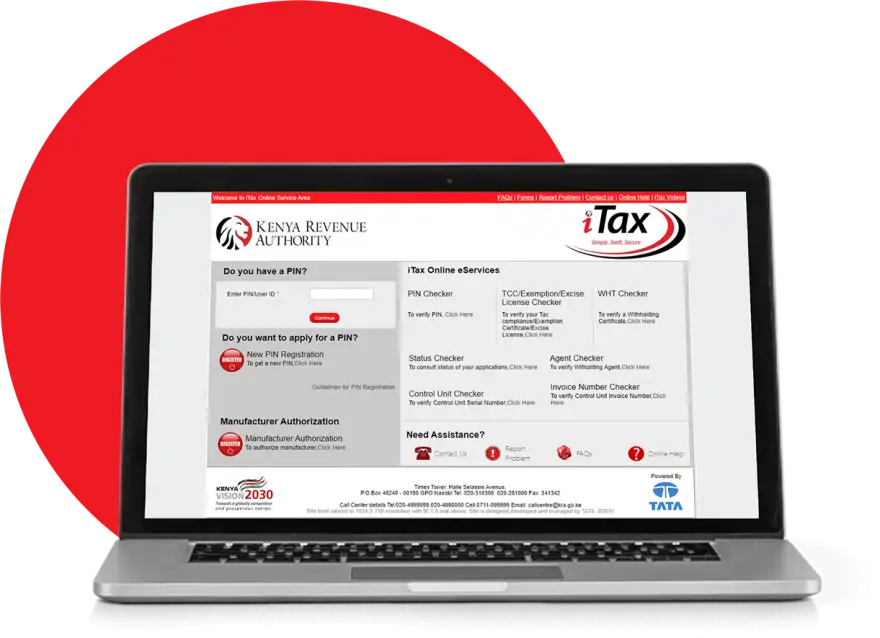
If you're a Kenyan working or earning income abroad, you'll eventually need a KRA PIN—the Kenya Revenue Authority's Personal Identification Number. Whether you're freelancing for international clients, running an online business, or maintaining taxable income back home, the tax authority expects you to register. The good news: you don't need to fly back to Nairobi to get one.
A KRA PIN can be obtained entirely online through the iTax portal at itax.kra.go.ke. The process takes roughly 10-15 minutes if you have the right documents ready. Most diaspora Kenyans complete it without any back-and-forth communication with KRA.
What You'll Need Before Starting
Gather these documents before logging into the iTax portal:
- Your valid Kenya national ID number
- Your passport number (if you have one registered with KRA)
- An active email address
- A mobile phone number (preferably a Kenyan one, though not strictly required)
- Your residential address outside Kenya
If you don't have a national ID, you can still register using your passport details. However, having an ID makes the process smoother and faster.
The Registration Process
Go to itax.kra.go.ke and click on the registration link. You'll be asked to choose your registration category—select "Individual" if you're registering for personal income. Fill in your full name exactly as it appears on your ID or passport.
Enter your national ID number or passport number, then your date of birth. The system will verify your details against KRA's records. If you're in the system already (perhaps from a previous visit to Kenya or prior tax filing), the portal will recognize you immediately.
Next, you'll create login credentials—a username and password. KRA will email a verification link to your registered email address. Click the link within 24 hours to activate your account. Once activated, log back in and complete your taxpayer profile by entering your residential address, occupation, and source of income.
At the end, the system will generate your 11-digit KRA PIN. Take a screenshot or write it down. You'll receive it via email as well, though the email can sometimes take a few hours.
Common Hiccups and How to Avoid Them
Your national ID or passport details might not match KRA's records if you've never filed taxes before or if your information was entered inconsistently in the system. If registration fails at the verification step, you have two options: wait 24 hours and try again, or contact KRA's iTax support team directly through the portal's help section.
Some diaspora users report delays in receiving their PIN via email. If this happens, log into your iTax account—your PIN should be visible in your profile dashboard even if the email hasn't arrived.
If you're having persistent issues, KRA tax experts on Kaziiko can guide you through the process or handle it on your behalf for a small fee.
The iTax system occasionally goes offline for maintenance, usually on weekends. If you get an error message, try again during business hours (Monday to Friday, 8 AM to 5 PM East African Time).
What Happens After You Get Your PIN
Your PIN is active immediately. You can start filing returns or making tax payments as soon as you receive it. If you're self-employed or running a business, you should file an annual income tax return by June 30 each year. Diaspora Kenyans with employment income abroad typically don't owe Kenyan taxes unless they have local source income, but filing a nil return is still required if you're registered.
Keep your PIN safe—you'll use it for all future tax filings, pension contributions, and interactions with KRA. There's no annual renewal fee; once you have it, it's yours indefinitely.
Frequently Asked Questions
Can I get a KRA PIN without a Kenya ID?
Yes. You can use your passport number instead. Enter it in the national ID field during registration and specify that it's a passport number. KRA will verify it and proceed with registration.
How long does it take to get the PIN?
The registration itself takes 10-15 minutes. Your PIN is generated immediately and displayed on screen. The email confirmation can take 1-24 hours, but you don't need to wait for it—your account is active as soon as you complete the online form.
Do I need to pay anything to register for a KRA PIN?
No. Registration is free. There's no fee to obtain or maintain a KRA PIN. Any fees you encounter are for additional services like certified copies of tax documents, which you likely won't need during initial registration.
What if KRA says I'm already registered?
Go to itax.kra.go.ke and click "Forgot PIN" or "Login." You can retrieve your existing PIN using your national ID and email address. If you've forgotten your password, use the password reset option. No need to register again.
Find an Expert on Kaziiko
