How to Claim a KRA Tax Refund on iTax in Kenya
The KRA issues tax refunds to eligible Kenyans every year, but claiming yours on iTax requires knowing exactly where to look. Here's the step-by-step process.
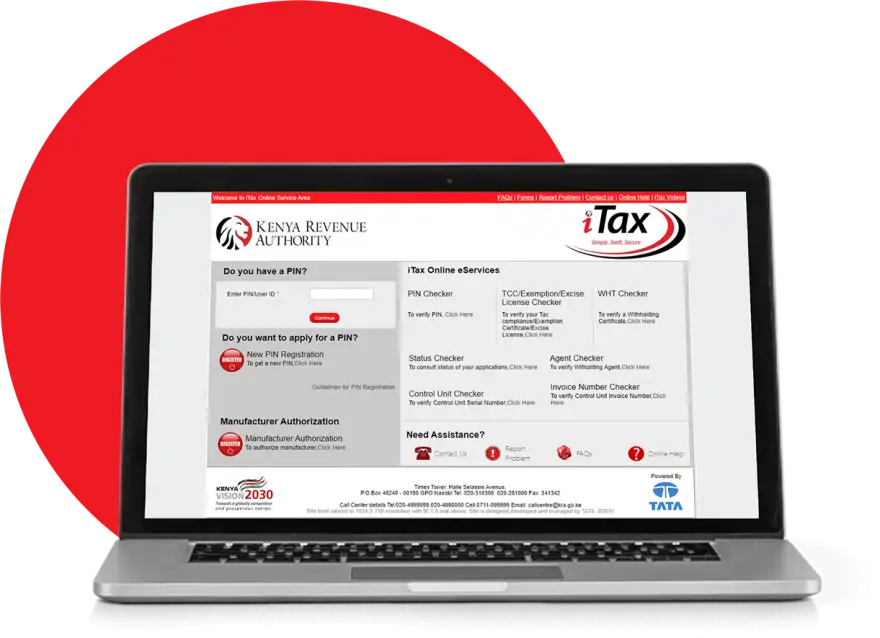
If you've overpaid your taxes or are eligible for a refund under Kenya's tax laws, the Kenya Revenue Authority (KRA) will hold that money unless you actively claim it. The iTax portal at itax.kra.go.ke is where you file for your KRA tax refund, but the process isn't always obvious to first-time filers.
The good news: claiming a KRA tax refund on iTax is straightforward once you know the mechanics. The frustrating part: verification can take months, and you'll need accurate documentation to succeed.
Who Qualifies for a KRA Tax Refund
Not every overpayment triggers an automatic refund. The KRA issues refunds to taxpayers who meet specific criteria. You qualify if you've paid more income tax than you owed during the tax year, if you've been overdeducted at source through PAYE, or if you're due a refund under specific tax relief provisions outlined in the Income Tax Act.
Self-employed professionals, salaried employees, and business owners can all claim refunds. The most common scenario involves employees whose employers over-withheld PAYE taxes. If your tax bracket changes mid-year or you qualify for reliefs you didn't claim during employment, a refund is owed to you.
Check your iTax account to see if the system flags a refund balance. If your tax liability is less than what was already deducted, you'll see this reflected in your account.
Step-by-Step Process to Claim Your Refund
Log into iTax. Go to itax.kra.go.ke and sign in with your KRA PIN and password. If you don't have a KRA PIN yet, register at ecitizen.go.ke first—this is mandatory for all tax filings in Kenya.
Navigate to the refund section. Once logged in, look for the "Refunds" or "Outstanding Claims" menu. The exact wording changes periodically, but it's usually under a "My Account" or "Taxpayer Services" tab. Some versions of the portal label it as "Claim Refund."
Review your refund amount. The system will show you the calculated refund based on your filed returns and tax paid. Verify this figure against your own records. If it looks wrong, check your filed returns for errors before proceeding.
Select your refund method. The KRA offers two options: bank transfer or cheque. Bank transfer is faster—typically 4-8 weeks if everything checks out. Cheque refunds can take longer and require you to collect from a KRA office.
Provide bank details (if applicable). If you choose bank transfer, enter your account details exactly as they appear in your bank records. A single digit wrong means the funds bounce back and cause delays. Use the same bank account registered with the KRA if possible.
Submit and wait for verification. Hit submit and note the reference number generated. The KRA will then verify your claim—this stage can take 30-90 days. You won't hear from them unless there's an issue.
Common Reasons Your Refund Gets Delayed
If your refund stalls, it's usually because of one of three things: mismatched bank details, missing supporting documents, or a discrepancy in your tax records. The KRA doesn't always notify you proactively, so check your iTax account every two weeks during the verification phase.
If your refund is still pending after 90 days, contact the KRA directly at 0711 045 000 or visit your nearest KRA office with your reference number. Consider working with KRA tax experts on Kaziiko if the claim gets rejected—they can help identify what went wrong and how to resubmit.
Frequently Asked Questions
How long does a KRA tax refund take?
Bank transfers typically take 4-8 weeks from submission, assuming your claim passes verification without issues. Cheque refunds can take 8-12 weeks. Delays are common if the KRA needs to verify your documentation.
Can I claim a refund if I filed late?
Yes, but only for the tax years within the statute of limitations—usually the last four years. File your overdue returns first at itax.kra.go.ke, then claim your refund.
What if my refund was rejected?
Check your iTax notifications for the reason. Common rejections involve incorrect bank details, missing returns, or misreported income. You can resubmit after correcting the issue or find a verified Kenyan expert on Kaziiko to help resolve it.
Do I need to claim my refund every year?
Yes. Each tax year (January to December) is independent. You must file a return and claim any refund separately for each year you're eligible.
Find an Expert on Kaziiko
