How to Change Your KRA PIN Details or Transfer to New Email
Learn the step-by-step process to update your KRA PIN email address or modify personal details through the official iTax portal in Kenya.
Why Update Your KRA PIN Details?
Your KRA PIN (Personal Identification Number) is your unique tax identifier in Kenya, issued by the Kenya Revenue Authority. Whether you've changed your email address, updated your phone number, or need to correct personal information, keeping your KRA PIN details current is essential for seamless tax compliance and communication from KRA. Missing critical tax notices or filing deadlines because your contact details are outdated can lead to penalties under the Tax Procedures Act.
Accessing the iTax Portal
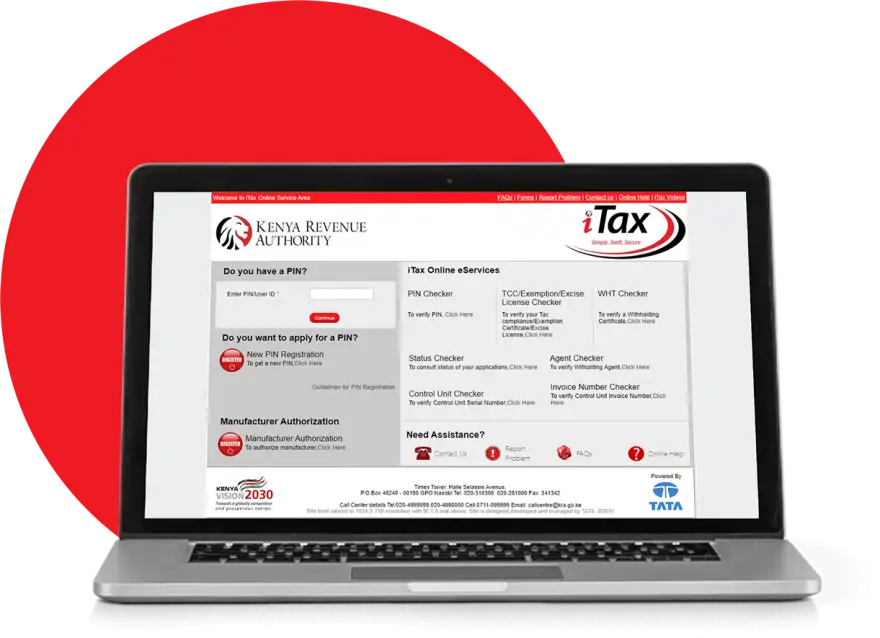
The Kenya Revenue Authority manages all KRA PIN updates through the iTax online portal at itax.kra.go.ke. This is the official, secure gateway for Kenyan taxpayers. You'll need your current KRA PIN and registered password to log in. If you've forgotten your password, use the 'Forgot Password' option to reset it via your registered email or phone number.
Step-by-Step: Changing Your Email Address
Once logged into iTax, navigate to 'My Profile' or 'Account Settings' (exact menu names may vary depending on the portal version in 2026). Select 'Edit Personal Details' or 'Contact Information'. You'll see fields for your current email. Enter your new email address carefully—typos here will redirect future KRA communications away from you. Some updates require email verification; KRA will send a confirmation link to your new email. Click this link within the timeframe specified (typically 24 hours) to complete the change. Save your changes and log out, then log back in using your new email to confirm the update worked.
Updating Other PIN Details
Beyond email, you can modify your phone number, postal address, and business location through the same iTax interface. Ensure any changes reflect your actual, current contact information—KRA uses these details for tax assessments, refunds, and audit notifications. If your business address has changed, updating this is critical for receiving official correspondence and avoiding missed compliance deadlines.
Important Considerations
- Mobile Verification: KRA may request SMS verification to your registered phone number before finalizing changes. Ensure your phone number is active and accessible.
- Business vs. Individual: Self-employed individuals and company tax representatives follow the same iTax process, but company details require authorization from the registered administrator.
- No Fee Required: Updating contact details on iTax is free; never pay for PIN updates through unofficial channels.
When to Seek Expert Help
If you're self-employed, running a business, or managing tax affairs for a company, updating your KRA details correctly is foundational to proper tax filing. If you're uncertain about which details to change or want to ensure your profile is fully compliant before submitting your next iTax return, consider consulting verified tax experts. You can iTax filing experts on Kaziiko who specialise in Kenyan tax compliance, or find a verified Kenyan expert on Kaziiko to review your profile and ensure everything is in order.
Final Checklist
After changing your KRA PIN details, verify the changes by logging out and logging back in. Check your new email for any recent KRA communications to confirm messages are reaching you. If you file taxes regularly, make sure your updated address appears correctly on your next iTax return submission. Stay compliant—KRA takes accurate taxpayer information seriously in 2026.
Find an Expert on Kaziiko
