10 Free Online Tools Every Kenyan Business Owner Needs in 2026
Running a Kenyan business doesn't require expensive software. These free online tools handle invoicing, tax compliance, scheduling, and accounting—helping you save money while staying organized.
Kenyan business owners juggle too many tasks with too little budget. Payroll, invoicing, tax deadlines, client management—it piles up fast. The good news: solid free online tools exist that actually work, without the marketing hype or hidden charges kicking in after three months.
Here are the 10 free online tools every Kenyan business owner should use in 2026, tested against real business needs.
1. Wave: Invoicing and Basic Accounting
Wave handles invoicing, expense tracking, and simple accounting reports. You create an invoice in minutes, email it to clients, and track when they pay. It connects to your bank account (though Kenyan bank integration varies), so expenses sync automatically.
The free version covers up to 20 invoices monthly. If you invoice more frequently, you'll bump into the paid tier. For small traders and startups, though, it's genuinely sufficient. KSh amounts display correctly, and you can track invoices in local currency.
Download receipts as PDFs, set payment reminders, and generate basic profit-and-loss reports. You won't get advanced analytics, but you'll know whether money is flowing in or out.
2. Canva: Graphics and Social Media
Canva's free tier gives you thousands of templates for social media posts, flyers, business cards, and product images. No design experience needed. Drag text, swap images, pick a color scheme, and you're done.
This matters for Kenyan businesses because hiring a designer costs money upfront. Canva lets you create promotional content in 10 minutes, which beats paying someone for rush jobs. The free version includes enough stock photos and design elements to keep you moving.
3. Google Forms: Customer Feedback and Surveys
Google Forms is free, simple, and works everywhere. Create a feedback form, share the link via WhatsApp or email, and responses land directly in a spreadsheet. No setup fees. No login barriers for respondents.
Use it for customer satisfaction surveys, order forms, event registration, or staff feedback. The data exports into Google Sheets automatically, so you can analyze trends without extra tools.
4. Trello: Project and Task Management
Trello's free plan lets you create three boards and organize tasks using a card-based system. Each board holds lists, and each list holds cards representing individual tasks. Move cards between lists as work progresses.
It's useful for small teams managing client projects, product launches, or daily operations. Multiple people can access the same board, comment on tasks, and attach files. Nothing fancy, but it keeps everyone aligned without meetings.
5. Google Workspace (Free Version): Email, Docs, and Sheets
Gmail, Google Docs, Google Sheets, and Google Drive come free with a Google account. Create shared spreadsheets for budgets, track client information in Sheets, draft proposals in Docs.
For Kenyan businesses, this means you don't need Microsoft Office licenses. Collaborate with staff or clients in real time, version-control documents automatically, and access files from any device. The free storage is 15GB, which handles most small business needs.
6. Zendesk Chat: Customer Support
Zendesk's free chat tool embeds on your website. Customers message you directly, and you respond from a dashboard. If you're offline, it collects messages and sends them to your email.
Many Kenyan businesses handle support via WhatsApp, which works fine. But Zendesk Chat keeps customer conversations organized and searchable, which WhatsApp doesn't. Good if you're scaling beyond one-on-one conversations.
7. Calendly: Scheduling and Appointments
Calendly eliminates the back-and-forth of "when are you free?" You set your availability, share your calendar link, and clients book directly. Calendly syncs with Google Calendar and sends reminders automatically.
Consultants, coaches, and service providers save hours weekly using this. Free version includes unlimited one-on-one meetings and up to three calendar integrations.
8. Grammarly: Writing and Email
Grammarly checks grammar, spelling, and tone across emails, proposals, and social posts. The free version catches obvious errors. The paid version offers tone detection and clarity suggestions, but the free tier is solid for most business writing.
Works as a browser extension, so it checks everything you type online. Useful if client-facing writing matters to your brand.
9. Buffer: Social Media Scheduling
Buffer lets you schedule posts to Facebook, Instagram, Twitter, and LinkedIn in advance. Plan your week's content once, schedule it, and Buffer publishes automatically at your chosen times.
The free plan covers three social accounts and up to 10 scheduled posts monthly. If you're consistent with social media but short on time, this saves effort. Post when your audience is most active, not when you remember.
10. KRA's e-Citizen Portal and iTax
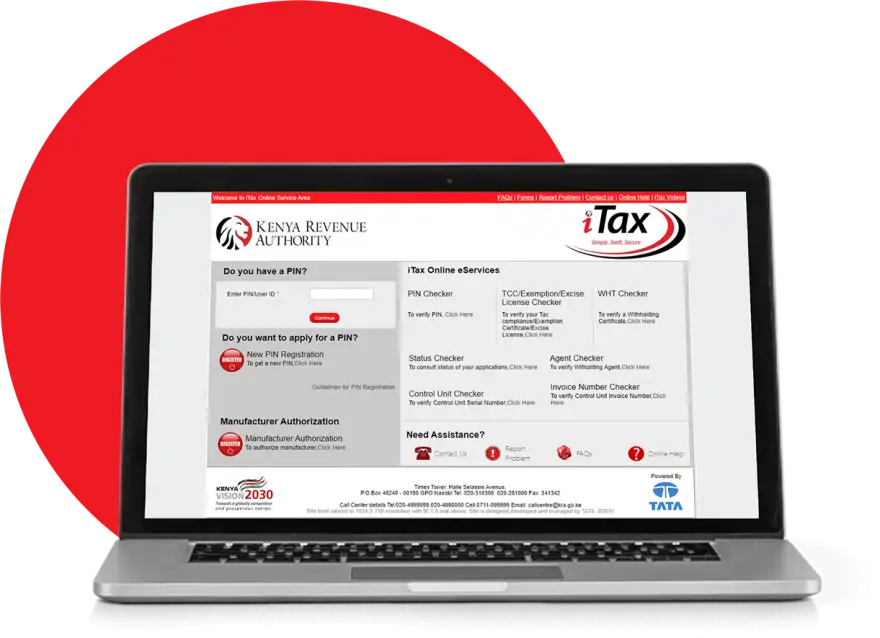
Two government platforms deserve mention because they're free and mandatory for compliance. e-citizen.go.ke handles business registration, license renewals, and some regulatory filings. iTax (itax.kra.go.ke) is where you file personal income tax and corporate returns.
Both are clunky to use, but the cost is zero and they're official. If you're unsure about tax obligations or deadlines, KRA tax experts on Kaziiko can guide you through the process. Staying compliant matters more than finding shortcuts.
Frequently Asked Questions
Are these tools really free forever?
Most offer free tiers that stay free. Some (like Wave, Calendly, Buffer) have limitations on the free plan—fewer invoices, fewer scheduled posts, fewer integrations. Read the pricing page before committing. None have surprise charges if you use only the free version.
Do these free tools work with M-Pesa or Kenyan banks?
Wave and some accounting tools don't integrate perfectly with Kenyan banks yet. You'll need to manually enter transactions or export data. For payment processing specifically, consult KRA tax experts on Kaziiko about tools that sync with local payment channels.
Which should I start with if I'm new?
Start with Google Forms for customer feedback and Canva for marketing. Those two solve immediate problems without overwhelming setup. Add Trello once you have team members or multiple projects. Add Wave once invoicing becomes regular.
Do I need to pay for Kaziiko Academy courses to learn these tools?
Most tools have free tutorials and YouTube guides. However, Kaziiko Academy courses provide structured, Kenya-focused training if you prefer guided learning. The choice depends on whether you learn better through structured courses or self-exploration.
