How to Apply for an NTSA Logbook Transfer on eCitizen Kenya
Transferring your driving logbook through eCitizen is faster than visiting an NTSA office in person, but the process has specific steps you need to follow correctly. Here's what you actually need to do.
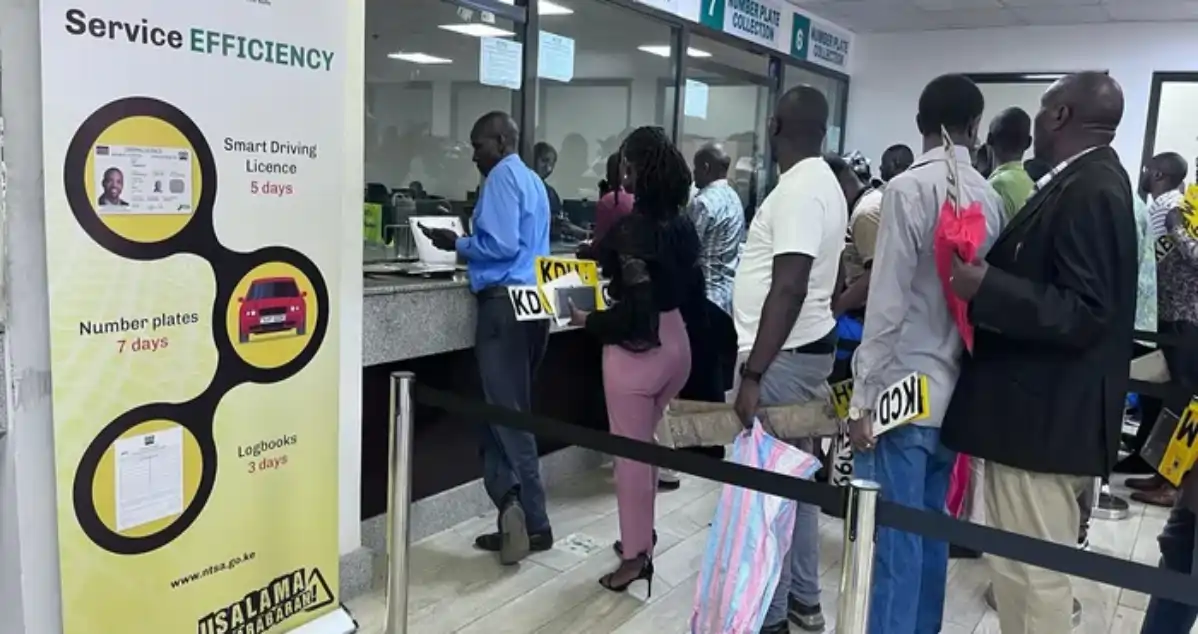
The National Transport and Safety Authority (NTSA) logbook transfer through eCitizen Kenya is a digitized alternative to queuing at a physical office. If you're moving between counties, selling a vehicle, or updating vehicle ownership details, you'll eventually need to transfer your logbook. The online process works—but only if you have the right documents and know where to click.
What You Need Before Starting
Gather these documents before logging into eCitizen. You'll need your current driving logbook (physically present, as you may need to reference details), the vehicle's inspection certificate, proof of ownership, your national ID, and a completed logbook transfer form. Some transfers also require a letter from your insurance company confirming the vehicle is insured under your name.
If the vehicle has outstanding fines or traffic violations, those must be cleared first through the NTSA portal at ntsa.go.ke. Attempting a transfer with unresolved issues will cause your application to be rejected, wasting your time and the KSh 500-1,000 processing fee.
Accessing eCitizen and Locating the Service
Go to ecitizen.go.ke and log in using your M-Pesa number or email. If you don't have an eCitizen account, you'll need to create one first—this takes about five minutes. Once logged in, navigate to the NTSA section. The exact menu path varies slightly depending on when eCitizen last updated its interface, but search for "NTSA Logbook Transfer" directly rather than browsing menus.
The service will appear under Transport and Logistics. Click on it, and you'll be asked to select whether you're applying as an individual or a business entity. For most Kenyans, it's individual.
Completing the Online Application
The form asks for your personal details, the vehicle's registration number, the reason for transfer (select from a dropdown list), and your current county of residence. Enter these carefully. Errors here are common and cause delays—double-check the registration number against your logbook.
You'll then upload scanned copies of your supporting documents. The system accepts PDF and image files. File sizes should not exceed 5MB per document. Poor quality scans sometimes get rejected, so ensure your logbook and inspection certificate are clear and fully visible.
Payment happens at the end. You can pay through M-Pesa, card, or bank transfer. Check the official eCitizen portal for current fees, as these occasionally change. After payment confirms, you'll receive a reference number via email and SMS.
What Happens Next
Processing typically takes 5-10 working days, though this varies by the NTSA office handling your application. You can track your application status on eCitizen using your reference number. Some applicants report delays during peak periods like school holidays or month-end.
If your application is approved, you'll collect your new logbook from the NTSA office in your new county of residence. If it's rejected, the portal will notify you of the reason—usually missing documents or incorrect information. You'll then reapply with corrections.
For complex cases or if you're unsure about the process, NTSA experts on Kaziiko can guide you through the application. There are also eCitizen experts on Kaziiko who handle these transfers regularly and can spot potential issues before you submit.
Frequently Asked Questions
How long does an NTSA logbook transfer take on eCitizen?
Processing takes between 5-10 working days under normal circumstances. Peak periods may extend this to 14 days. You can check your status anytime using your reference number on the eCitizen portal.
Can I transfer my logbook if I have outstanding traffic fines?
No. You must clear all fines through the NTSA system first. Visit ntsa.go.ke to check your violation history and pay any outstanding amounts before applying for a transfer.
What if my eCitizen application is rejected?
The portal explains why in the rejection notification. Common reasons are missing documents, illegible scans, or discrepancies in vehicle details. Correct the issue and reapply. You won't be charged again if you're resubmitting the same application within 30 days.
Do I have to collect the new logbook in person?
Yes. Once approved, you must visit the NTSA office in your new county to collect your logbook. You cannot have it mailed or collected by someone else without a power of attorney.
Find an Expert on Kaziiko
